
Prism Runway Show Update: Halloween Quest and Rewards
Explore the Prism Runway Show update with Halloween quest steps, badge rewards, Pumpkin codes, and the November 4 deadline. Get ready for your next runway.
Jump to

What’s in the Halloween Update?
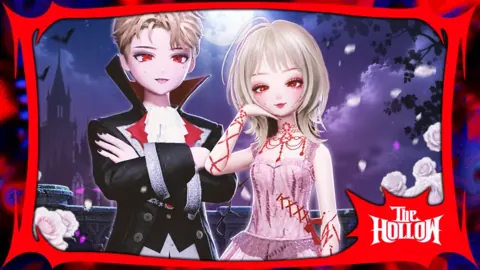
The Prism Runway Show update gives you a straightforward Halloween goal: finish two rounds to earn the Spooky Pumpkin!! 2026 badge. You don’t need to win, so a rough outfit or low score won’t block your progress. That badge can then be redeemed for Tickets in The Hollow event hub.
Halloween also brings a hidden-candy achievement and seasonal codes that award Pumpkins. Keep the two currencies separate when planning your session: the quest badge leads to Tickets, while the Pumpkin codes below award Pumpkins directly.
| Halloween badge | How to earn it |
|---|---|
| Spooky Pumpkin!! 2026 | Complete the Halloween runway twice |
| Hidden Candy Hunt! | Discover Pumpkin Kitty’s Hidden Candies |
For a clear starting objective, finish the two-round quest before tackling the candy hunt.
How to Complete The Hollow Quest
You can work on this mission through regular fashion rounds without chasing a podium finish.
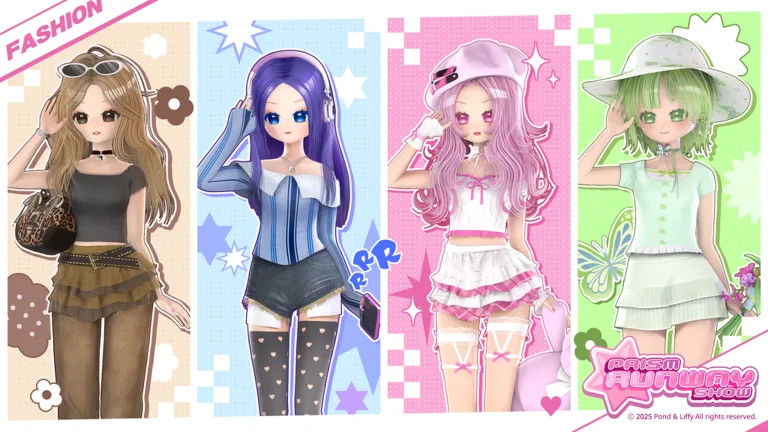 Image: Roblox / LILY & LIFFY
- Launch Prism Runway Show on Roblox.
- Build an outfit for the round’s theme. Use the clothing, hair, makeup, and nail stations during preparation.
- Finish the round. Stay through the runway presentation and voting.
- Complete a second round. Finishing two rounds awards the Spooky Pumpkin!! 2026 badge automatically.
- Redeem the badge in The Hollow event hub for Tickets.
Each round gives you six minutes to assemble your look. During the runway presentation, players rate outfits from 1 to 5 stars, and the highest total wins. Those ratings affect the competition, but winning is not a requirement for this quest.
Your styling options include skin tone, dresses, makeup, hair, nails, and accessories, with different booths handling different parts of your appearance. Build around the theme displayed for that particular round rather than assuming every Halloween-event round calls for a spooky costume. The fashion competition still uses changing themes while you work toward the event’s two-round objective.
Pick your main outfit pieces before spending time on smaller details. Match the theme first, then use your remaining preparation time for hair, makeup, nails, and accessories. Since placement doesn’t gate the badge, keep playing even if your first look misses the mark.
Fashion sharing also extends beyond the runway through Prism Play, where you can post finished looks and admire other players’ outfits. Servers hold up to 10 players, so you can also join friends for the styling competition while completing the same two-round event requirement.
Once you have Tickets, head to The Hollow’s Concessions Shop for event avatar cosmetics and gadgets.
Halloween Codes and the November 4 Deadline
Enter SPOOKYHALLOWEEN before 00:00 UTC on November 4 to claim the Halloween special-code offer. That deadline applies to this specific code; it is not an announced end date for the entire Halloween event.
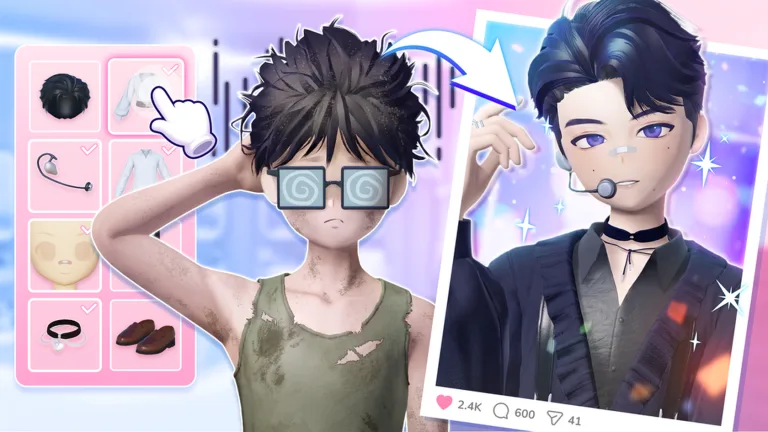 Image: Roblox / LILY & LIFFY
These additional seasonal codes award Pumpkins:
| Code | Reward |
|---|---|
| BRINGTHEBOX | 400 Pumpkins |
| PUMPKINHALLOWEEN | 100 Pumpkins |
For Coins, MRLEAF, CHIOTOKIO, RAINE, and DELYRIONN each award 100 Coins.
You can also redeem codes for individual wardrobe items rather than currency. These rewards cover several different parts of an outfit:
- THANKYOUSTYLISTS awards the Rollcake Backpack, an accessory reward.
- PARTYWITHPRS awards the Dessert Shoes, giving you a footwear item.
- SWEET1STCELEBRATION awards Dessert Dress Blossom.
- MAKEAWISH awards Dessert Dress Top.
- PANCAKEPARTY awards the Pancake Hat, another food-themed wearable.
For another currency reward, ILOVEPRISM gives 100 Coins. Enter each code separately through the same redemption screen used for the Halloween offers. Keep the reward names straight when choosing what to redeem: the backpack, shoes, dress pieces, and hat are item rewards, while the Coin and Pumpkin codes grant their respective currencies.
How to Redeem Codes
- Open Menu in the upper-right corner.
- Select Code at the bottom of the screen.
- Enter a code in the Enter Code Here! box.
- Select Redeem.
Codes are case-sensitive, so copy their capitalization exactly. Pay particular attention to the similar Halloween names: PRISMHALLOWEEN, the older code for Limited Makeup, is expired. Use SPOOKYHALLOWEEN for the offer ending November 4 and PUMPKINHALLOWEEN for the 100-Pumpkin reward.
Continue exploring

Prism Runway Show Kawaii: Cute Outfit Ideas and Tips
Build your Prism Runway Show kawaii look with pastel palettes, ribbons, fairy outfits, and spooky-cute ideas. Match each theme and hone your runway style.
Prism Runway Show Advent Calendar: 2025 Event Guide
Explore the Prism Runway Show advent calendar's December start date, holiday update features, and Christmas badge before your next Roblox runway visit.
Join the community
Official channels for news, updates and player help: